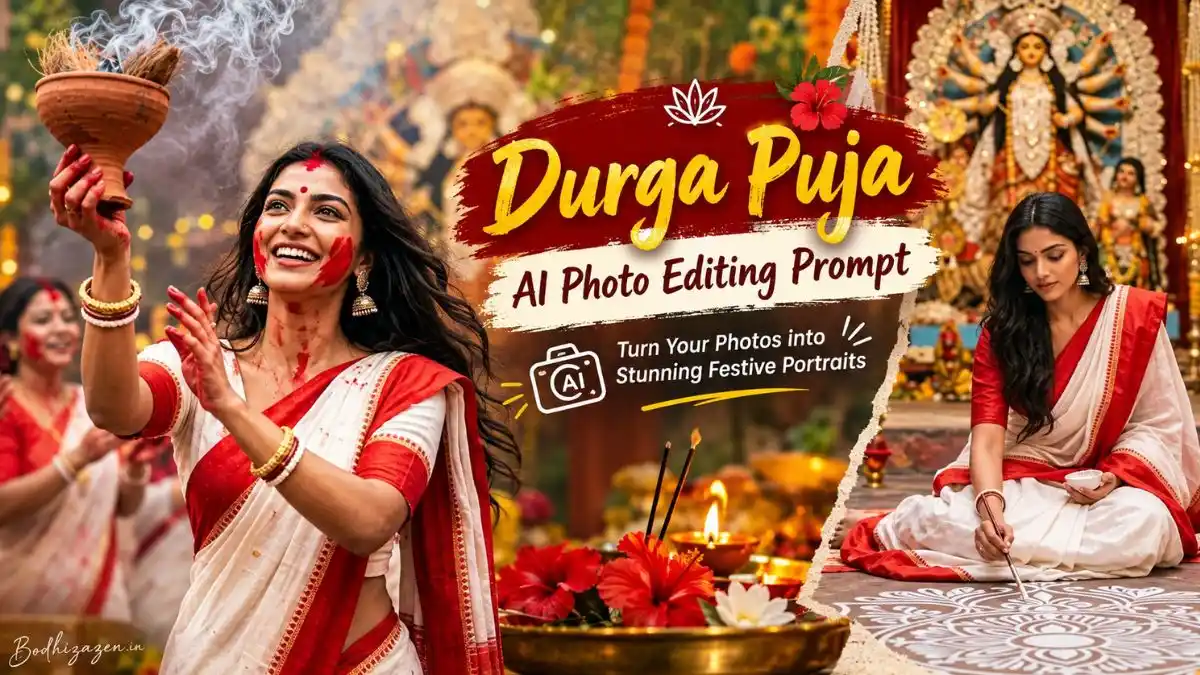
Durga Puja is one of those festivals where traditional clothing, beautiful pandals, dhak beats, sindoor, dhunuchi dance and warm festive lights naturally create memorable photo moments. With AI photo editing, you can now recreate that festive atmosphere even when you only have a regular portrait or an old photo.
In this guide, you’ll find Durga Puja AI Photo Editing Prompt ideas designed around different Bengali festive looks. From a classic white-and-red saree portrait to Sindoor Khela, Dhunuchi Dance and traditional pandal scenes, each prompt has a different visual concept so your results don’t all look the same.
These prompts can be used with a suitable reference photo in AI image-generation tools such as ChatGPT or Gemini. For better identity preservation, use a clear, well-lit reference image and carefully review the generated face, hands, jewellery and clothing before saving the final result.
What Makes a Durga Puja AI Photo Look Realistic?
A convincing festive AI image is not only about adding a Durga idol in the background. Small details such as saree draping, Bengali jewellery, traditional makeup, pandal lighting, realistic skin texture and natural body proportions can make a major difference.
For this reason, the prompts below focus on different visual situations rather than repeating the same portrait formula. You can choose a prompt according to the kind of Durga Puja photo you want to create.
In 2026, the main Durga Puja observances in Kolkata fall in October, with Maha Navami on October 20 and Bengal Vijayadashami on October 21 according to the calendar.
1. Bengali White & Red Saree Portrait for Sindoor Khela
Durga Puja Sindoor AI Photo Prompt
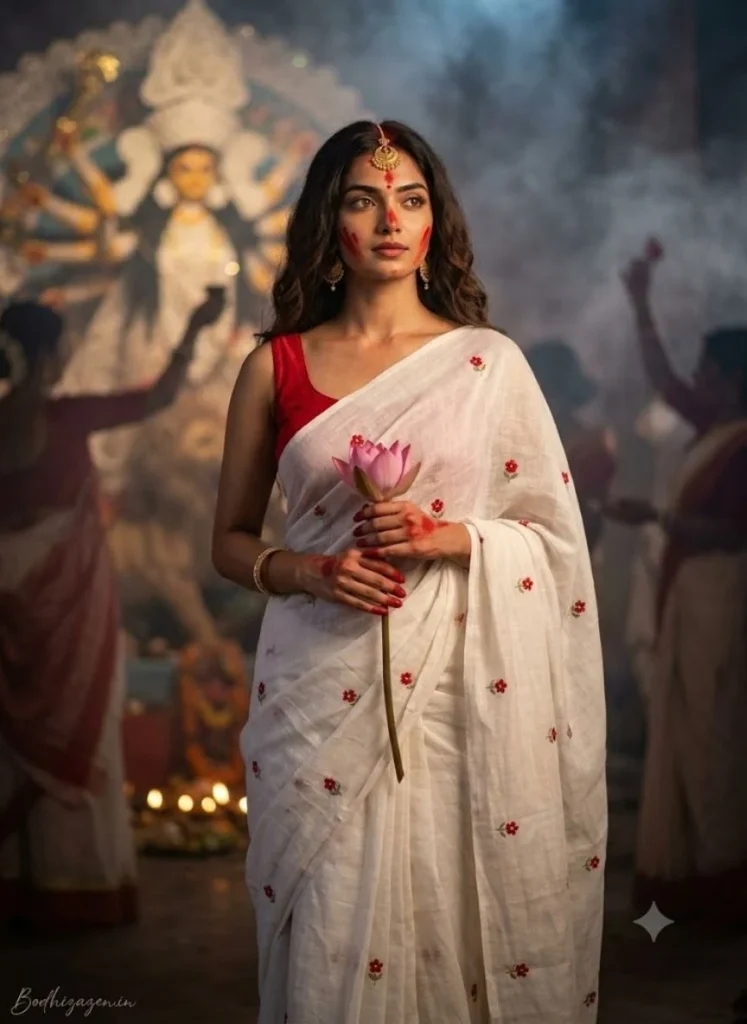
If you want a traditional Kolkata-style festive portrait, this concept combines the classic white-and-red saree look with Sindoor Khela elements. The blurred Durga idol, smoky atmosphere, glowing diyas and lotus create a cinematic background without taking attention away from the subject.
2. Candid Durga Puja Portrait in a Crowded Pandal
Durga Puja AI Photo Prompt for Girls
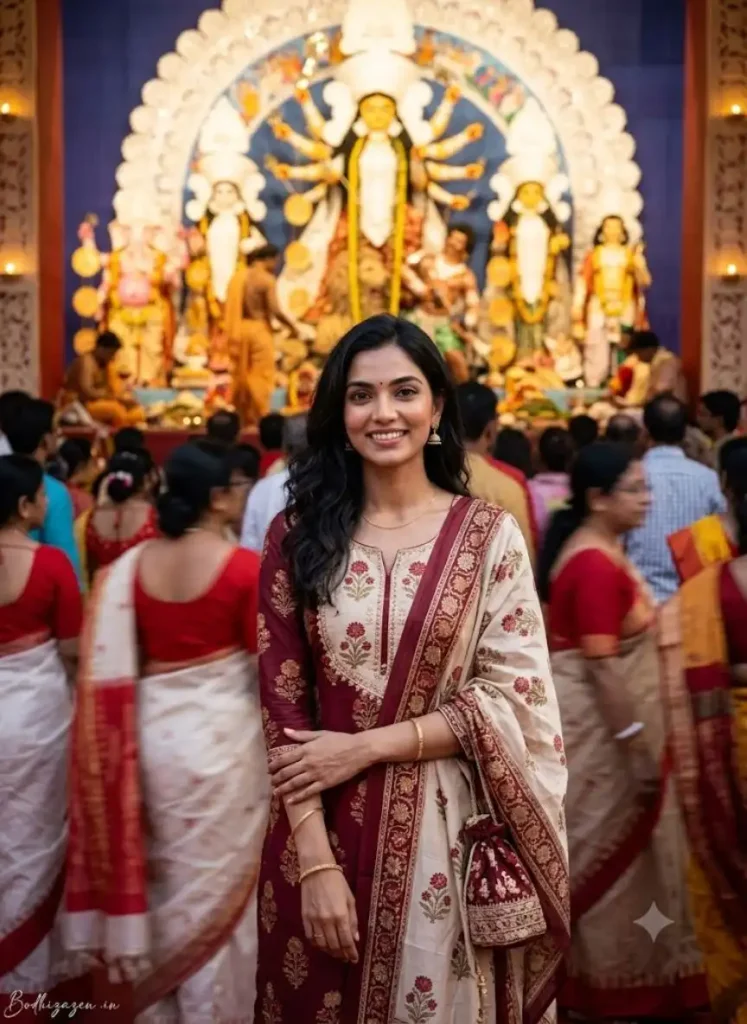
Not every festive photograph needs an elaborate traditional outfit. This idea focuses on a modern festive portrait where the crowd remains slightly blurred while the woman stays sharply in focus.
It works particularly well for users who want a natural Durga Puja memory instead of a heavily posed studio-style image.
3. Elegant Bengali Saree Portrait
Durga Puja Bengali Girl AI Photo Prompt
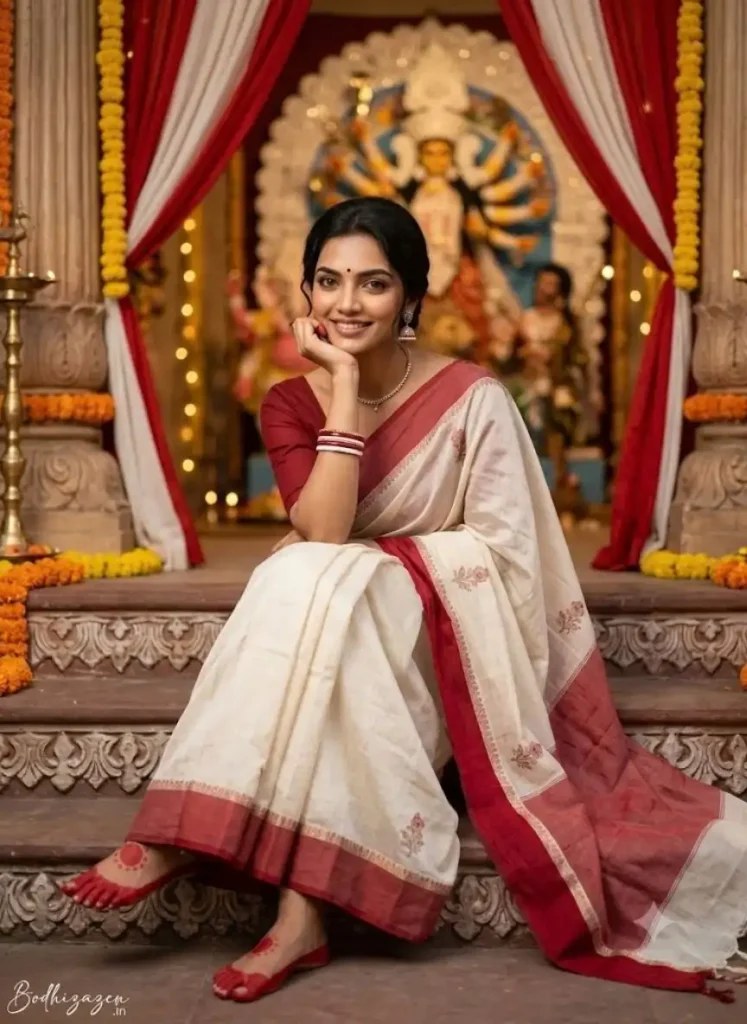
This concept is designed for a more polished editorial-style result. Instead of a busy crowd, the focus is on traditional Bengali styling, heritage architecture and detailed festive elements.
4. Traditional Bonedi Bari Durga Puja
Durga Puja Traditional Look AI Photo Prompt
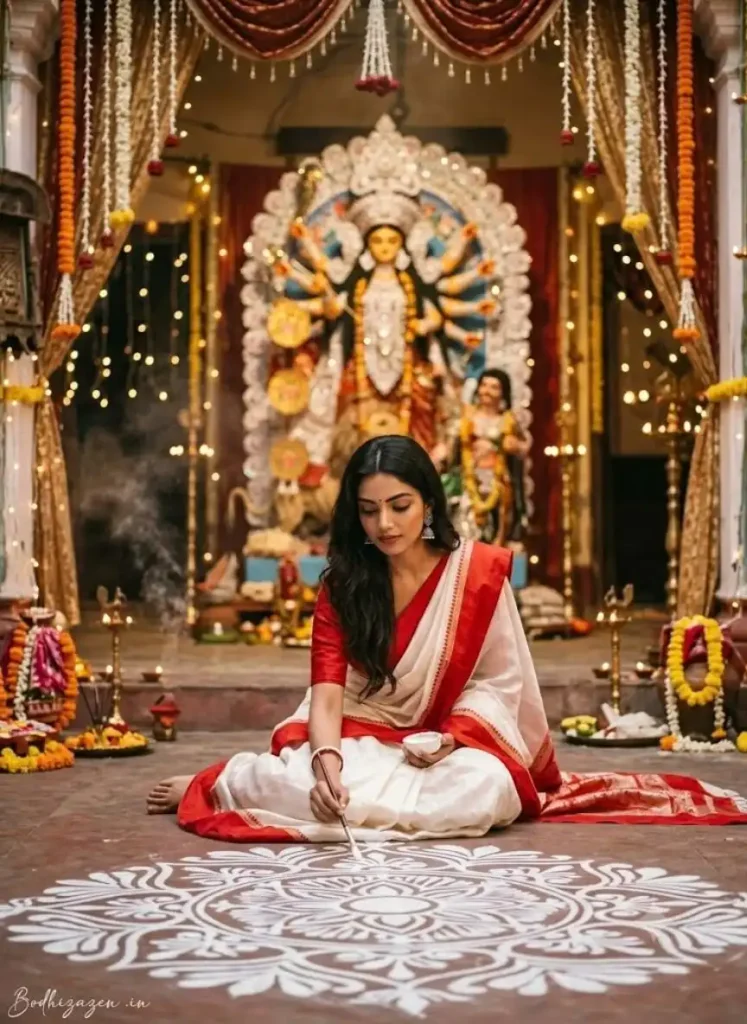
For a more culturally detailed image, this prompt moves away from the typical pandal portrait and places the subject inside a traditional Bengali Bonedi Bari setting. The alpona, white-and-red saree and Durga idol help create a distinctly festive atmosphere.
5. Dhunuchi Dance at Kolkata Durga Puja
Durga Puja Dhunuchi Dance AI Photo Prompt
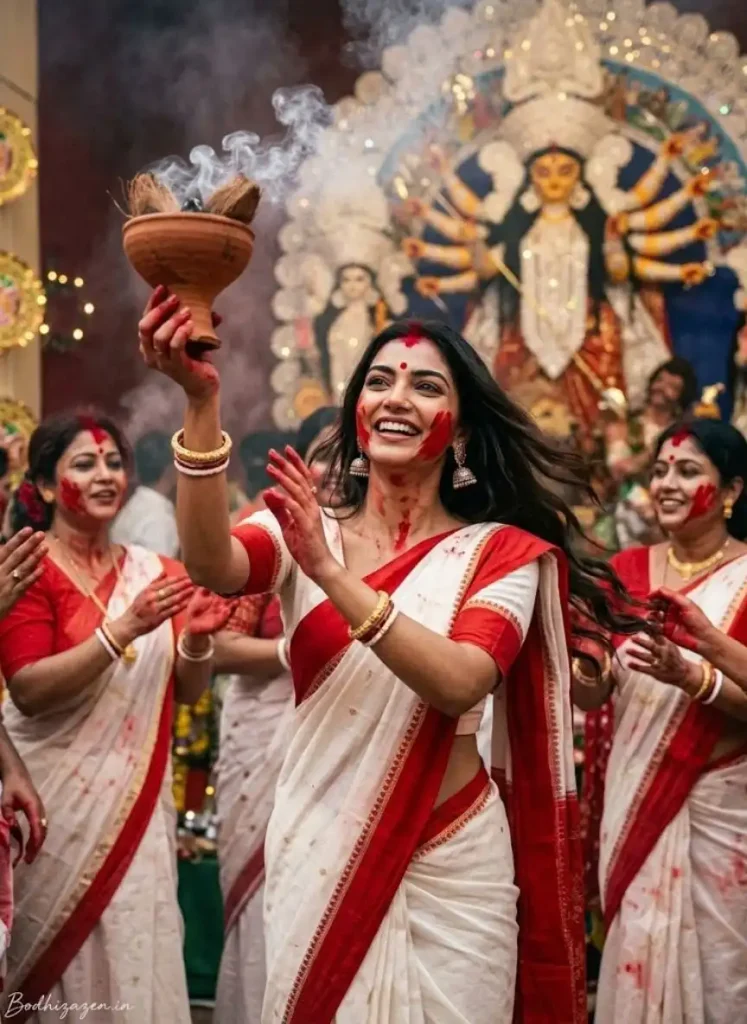
Dhunuchi Dance brings movement and energy into a Durga Puja photograph. This prompt is ideal when you want something more dynamic than a simple standing portrait while keeping the traditional Bengali look.
6. Devotional Conch-Shell Portrait
Durga Puja Portrait AI Prompt
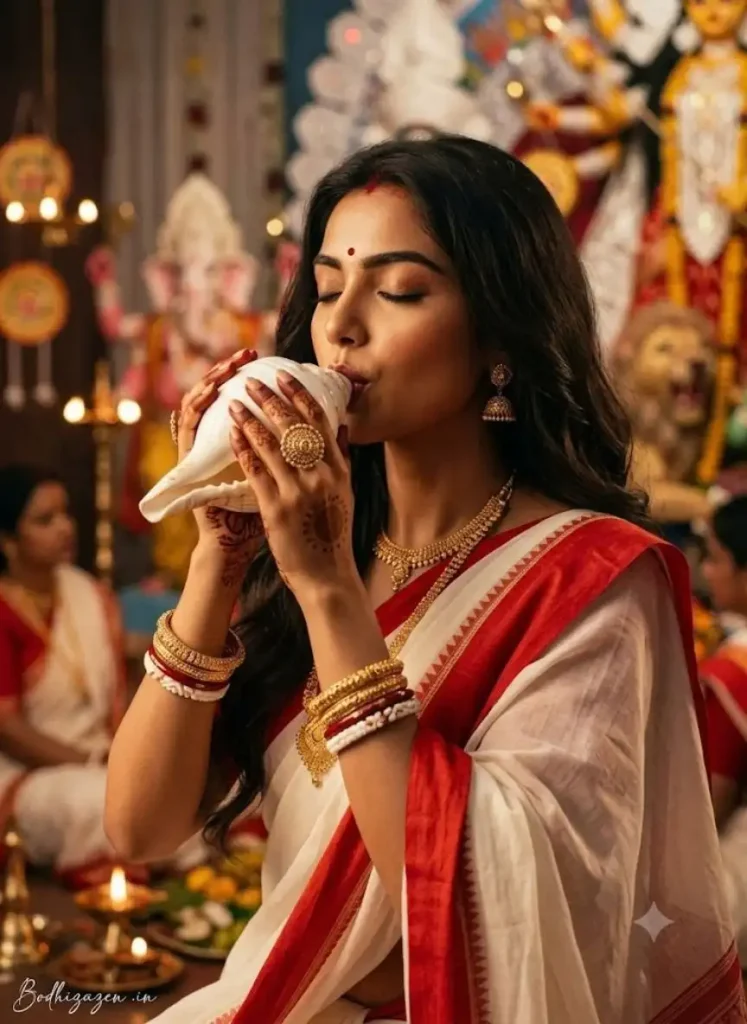
If you prefer a close-up image with a devotional mood, this concept focuses on the traditional shankha ritual. The close framing allows the AI to give more attention to facial expression, jewellery and the conch shell.
How to Get Better Results From These Durga Puja Prompts
The prompt is only one part of the final result. Your reference image also matters. A clear photo with a visible face generally gives the AI more useful information for identity preservation.
Before generating the image, check these simple points:
- Use a sharp, well-lit reference photo.
- Avoid heavily filtered or blurry images.
- Mention identity preservation when you want the same face.
- Specify the saree, jewellery and background instead of leaving cultural details completely open.
- For dynamic scenes such as Dhunuchi Dance, clearly describe the body movement.
- Check hands, fingers, jewellery and facial details after generation.
- If only one element looks wrong, ask the AI to correct that element instead of regenerating everything.
This approach can make a Durga Puja AI Photo Prompt more practical because you are controlling the important visual details instead of relying on a generic festival description.
Why Bengali Details Matter in a Durga Puja AI Image
A generic festive image can easily look different from an authentic Bengali Durga Puja scene. Details such as the white-and-red saree combination, red-and-white decorations, alpona, shankha, dhunuchi, sindoor and traditional jewellery help establish the visual context.
However, cultural elements should still look natural. Adding too many unrelated accessories or decorative objects can make an AI image feel artificial. The goal should be a believable festive photograph where the person remains the main subject.
ChatGPT or Gemini: How to Use These Prompts
You can use the prompts with an image-generation tool that supports reference images.
- Upload a clear reference photo.
- Copy one complete prompt from this article.
- Paste it into the AI tool.
- Review the generated face, hands, clothing and background.
- Ask for targeted corrections if something looks incorrect.
- Save the final image only after checking the important details.
Reference-image support, image-generation features and available tools can vary by account, region and plan, so the exact workflow may differ between users.
Frequently Asked Questions
What is a Durga Puja AI Photo Editing Prompt?
A Durga Puja AI Photo Editing Prompt is a detailed instruction used with an AI image-generation or editing tool to transform a reference photo into a Durga Puja-themed image.
Can I use these prompts for Bengali saree photos?
Yes. Several prompts in this article are specifically designed around the traditional Bengali white-and-red saree style, festive jewellery and Kolkata-inspired Durga Puja settings.
Can I create a Sindoor Khela photo with AI?
Yes. The Sindoor Khela prompt above combines a traditional white-and-red saree, sindoor details, a blurred Durga idol and a cinematic Kolkata festive atmosphere.
Which prompt is suitable for Dhunuchi Dance?
The Durga Puja Dhunuchi Dance AI Photo Prompt is designed specifically for a dynamic dancing scene with traditional Bengali styling and a decorated Puja environment.
Can I use my own photo as a reference?
Yes, when your chosen AI tool supports reference-image input. A clear, unfiltered photo generally makes it easier for the tool to preserve recognizable facial details.
How can I make my AI Durga Puja photo look realistic?
Use a clear reference photo and describe realistic skin texture, natural lighting, authentic clothing, accurate proportions and a specific environment. After generation, check the face, hands, jewellery and other fine details.
Final Thoughts
A good Durga Puja AI photo is not simply about placing a Durga idol behind a portrait. The strongest results come from combining a clear reference image with specific cultural details, realistic photography instructions and a scene that has its own visual identity.
Whether you want a traditional Sindoor Khela portrait, a lively Dhunuchi Dance moment, a Bengali saree look, a Bonedi Bari scene or a devotional shankha portrait, these Durga Puja AI Photo Editing Prompts give you different creative directions to explore.
Choose the prompt that matches the mood you want, keep your reference photo clear, and make small corrections after generation rather than changing the entire image unnecessarily.
See More:-